How to use Tacview with Microsoft Flight Simulator or Lockheed Martin® Prepar3D®?
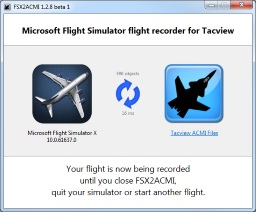
Tacview has been tested and validated with the following editions of Flight Simulator:
- Microsoft Flight Simulator (both retail & Steam editions)
- Microsoft Flight Simulator X (both retail & Steam editions)
- Lockheed Martin® Prepar3D® (v1 to v5)
- VRS TacPack & Superbug
First, make sure you have downloaded and installed the latest version of Tacview. This will install both MSFS2ACMI and FSX2ACMI on your computer. If you are flying in MSFS launch MSFS2ACMI from Windows start menu or search box. If you are flying in FSX/P3D launch FSX2ACMI from Windows start menu or search box. As long as MSFS2ACMI/FSX2ACMI is running, it will record all your flights automatically.
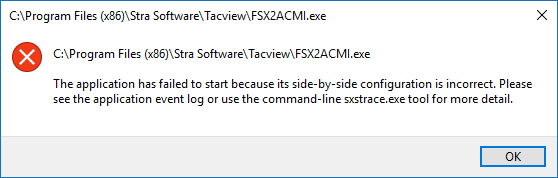
Like many universal add-ons, FSX2ACMI needs Microsoft Flight Simulator SimConnect to be properly installed to access telemetry data. If you are using Prepar3D®, you must manually install SimConnect by running:C:\Program Files\Lockheed Martin\Prepar3D v5\redist\Interface\FSX-SP2-XPACK\retail\lib\SimConnect.msi
You can either close MSFS2ACMI/FSX2ACMI or Flight Simulator. MSFS2ACMI/FSX2ACMI will also automatically start a new recording when it detects a major change in the current flight (like time or mission change).
You will find all your flight recordings in \My Documents\Tacview\. Click on the corresponding hyperlink in MSFS2ACMI/FSX2ACMI to open this folder. You can also change this folder for another one via the appropriate option in Tacview.
General Questions
Yes. MSFS2ACMI/FSX2ACMI does not make any difference between local and remote objects. This is why your flight should be properly recorded and should include all the other pilots connected to the same session as you and flying in the same region.
Yes, you can use FSX2ACMI with any add-on. If you are using it with Tacpack, you will get two flight recordings, one from Tacpack and one from FSX2ACMI. Compare both files in Tacview to know which one provides the most relevant information for your needs.
Tacview Starter does not offer terrain coverage for the whole earth this is why you will probably see water most of the time. Tacview Standard offers am ETOPO1 base map for the entire world. This is much better than just water; however it may look kind of blurry. Here are some ways you can improve the default terrain:
- First, you should try on of the official terrain add-ons.
- You can also import official SRTM maps from NASA. These are the exact same maps Flight Simulator is using by default.
- Or you can ask me to add the terrain of your choice in the download section. Please be patient in that case. Even if I will do my best to deliver you the map quickly, I'm quite busy on other tasks...
No, it should not. On today's computers MSFS2ACMI/FSX2ACMI uses less than 1% of CPU while recording. This has been tested on a 2012' PC running FSX at maximum quality and 100% AI air and ground traffic (between 400 and 800 moving objects).